GIT setup Working Alone
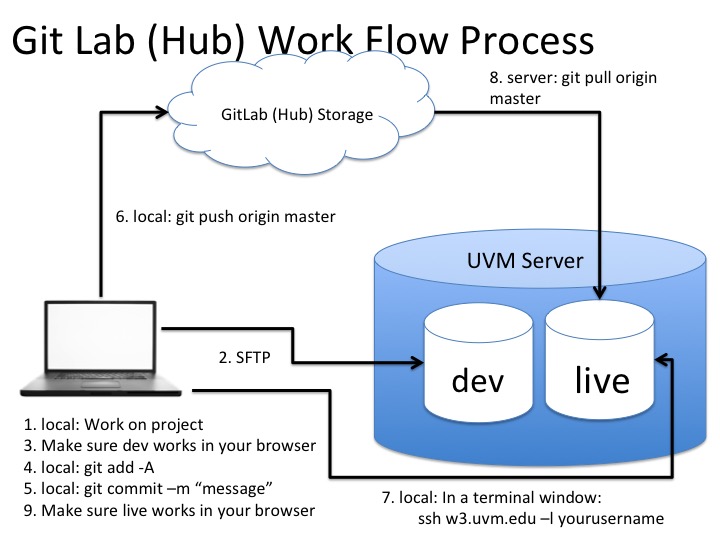
The work flow process that we will be using for this class is to work on your computer and sftp (run your NetBeans project) your files to cs142/dev-folderName folder to make sure it works. When it works you then go to your computer using git and commit your changes and push to gitlab. Then you will ssh to the server and go to your live folder where you pull down from git lab. It is very important that you never ftp (sftp) to the live folders. So lets get this all set up. In the end your live sites will now be ready (right now it is just your sitemap and lab 1.
Demonstration of the git work flow process
Git has a great tutorial to help the beginner.
NOTE:
This is how you will set up every project EXCEPT you will not have to do the keys as they are already set up